BroooApps
CutTheBullshitBrooo

Cut the bullshit,
save time and space.

Smart cleanup for audio stems, exports, and long rendered files.
Removes useless silence and saves gigabytes of disk space.

Apple Silicon only (M1 or newer)

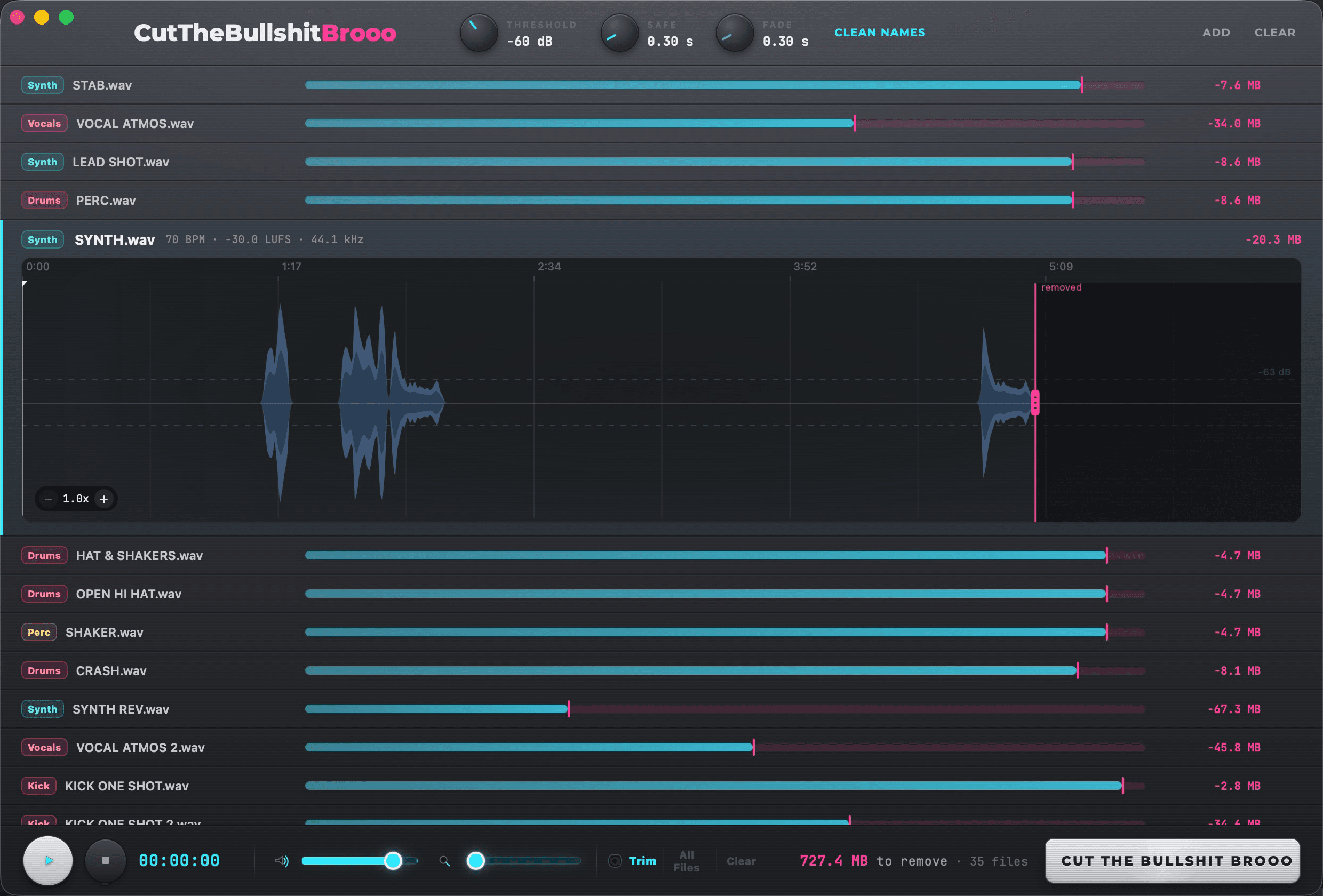
CutTheBullshitBrooo interface

See It In Action

How It Works

1

Drop audio

Bring in WAV, AIFF, FLAC, MP3, stems, renders or folders.

2

Scan endings

Brooo detects useless silence at the end of each file.

3

Preview the cut

Use waveform preview and tail protection before export.

4

Export clean copies

Original files stay untouched. Clean versions export separately.

Features

  • Smart end-silence cleanup
  • Reclaims gigabytes of wasted disk space across your whole library
  • Protect reverb tails, delays, fades and ambient endings
  • Visual waveform cut preview
  • Manual trim override - drag the waveform to fine-tune the cut point
  • Auto-detects each file's instrument, tagged in its own color, for 3-level smart rename: Basic, Smart, or by instrument
  • Auto-numbers duplicate names
  • Safe exports that leave originals untouched

Auto instrument tagging

Drums, Bass, Vocals, Synths, Guitars, Keys, Brass, Woodwinds, Strings, Mallets, Percussion, FX, Ambience and more, each color-coded.

Take a Tour

More from BroooApps

See all products →

Pricing

Start with a 7-day trial.
Unlock it for $49.

FULL VERSION

$49

  • Everything in the trial
  • No limits

FAQ

Questions?

What does it cut?

It targets useless end silence in audio files, not musical tails.

Are originals overwritten?

No. The intended workflow exports clean copies separately.

What's included in the trial?

7 days of the full app, up to 50 files a day. After that, you'll settle into the locked free version until you unlock the full app.

Can it delete my original files?

There's an optional Delete Originals setting, off by default, with a confirmation step before it's ever turned on - so nothing gets deleted by accident.

Which Macs does it run on?

CutTheBullshitBrooo is a native macOS app for Apple Silicon Macs (M1 or newer).

Intel Macs aren't supported.

How do I install it?

Download the app from your account, open the file, and drag the app into Applications.

On first launch, right click the app and choose Open.

How many computers can I use it on?

Your license works on up to 2 of your machines.

Is checkout live?

Paid checkout opens through Freemius. The webhook activates the BroooApps license after payment.